Claude Plugin
Query databases, warehouses, cloud storage, and SaaS apps from Claude with proven data workflows.
MarcoPolo is a data computer that connects to your databases, warehouses, cloud storage, and SaaS applications, and provides a workspace where AI can query, correlate, analyze, and act on that data. The MarcoPolo plugin is the most effective way to connect Claude to this computer - it bundles the MCP connection with skills and a subagent that guide Claude through proven data workflows.
The plugin works with Claude Code and Claude Desktop (via Cowork). It is built on Anthropic's plugin framework (currently in preview).
What you can do
With the plugin installed, Claude can:
- Explore and profile unfamiliar connections - navigate schemas, check data quality, map relationships, and save context to RULES.md
- Query and join across sources - revenue in Snowflake, customers in Salesforce, tickets in Jira, joined locally in DuckDB
- Investigate issues - check S3 logs, query databases, cross-reference config tables in one conversation
- Build dashboards and reports - describe what you want and Claude builds it, with shareable URLs
- Validate data quality - check for anomalies, reconcile across sources, catch pipeline breaks
- Build pipelines - pull, transform, validate, and export data across systems
- Delegate data work - the plugin includes a data analyst subagent that Claude can hand off to during complex workflows
Why plugin over raw MCP
You can connect to MarcoPolo via MCP alone. The plugin is better for three reasons:
Claude knows which workspace to use. With MCP alone, Claude has access to two computers - your local machine and the remote MarcoPolo workspace - and frequently uses the wrong one. The plugin teaches Claude which tools operate where.
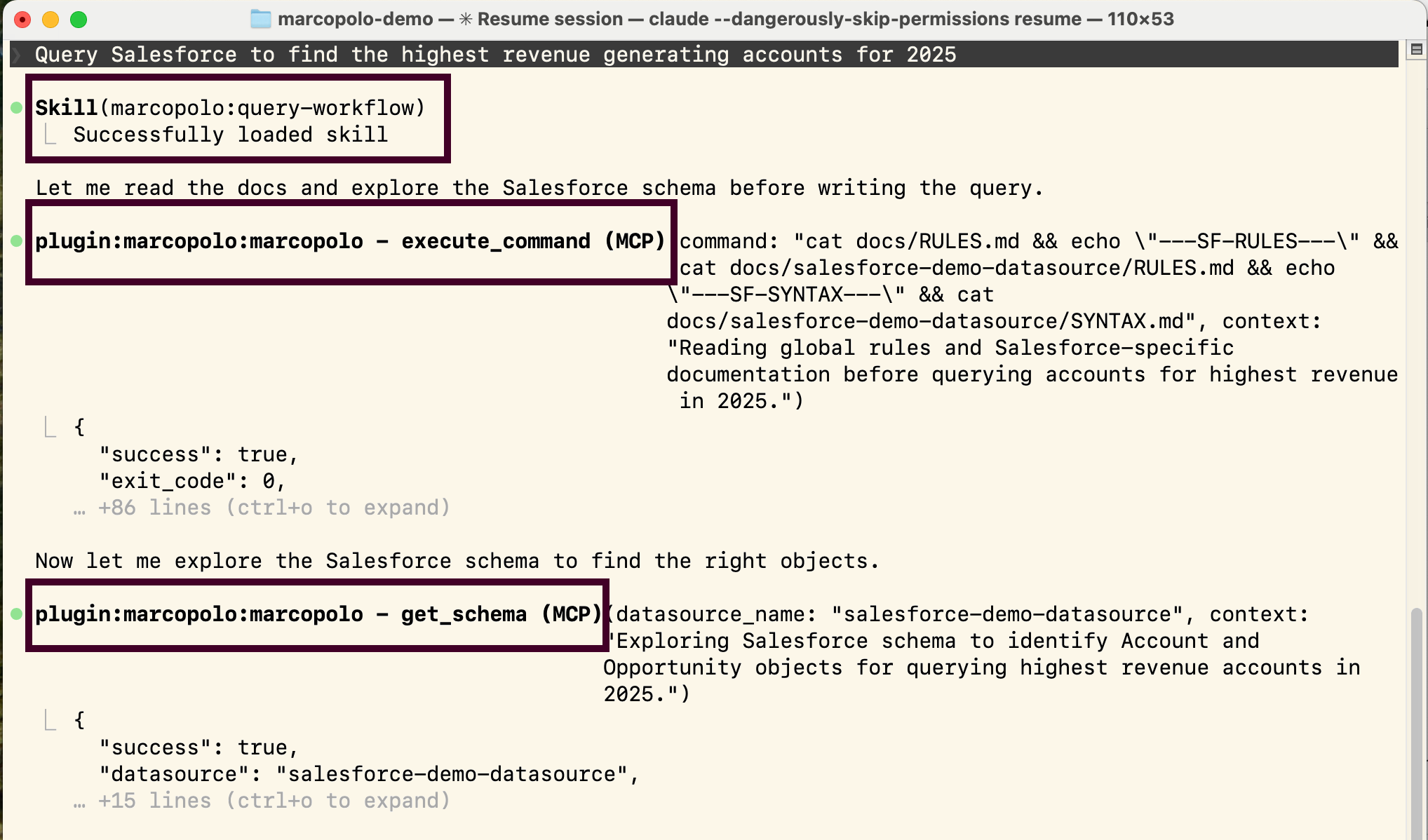
Queries follow a proven workflow. A correct query requires discovering connections, reading business context and syntax docs, refreshing metadata, writing a query file, executing it, iterating if wrong, and joining through DuckDB for follow-up. With MCP alone, Claude has to figure this out from tool descriptions. The plugin encodes it as bundled skills.
Tools are always available. As you add MCP servers, Claude searches across tools dynamically and doesn't always find the right one. The plugin's skills give Claude direct knowledge of MarcoPolo's tools, bypassing the search.
Example prompts
These run against your own connections or the hosted demo connections.
Explore and profile:
Profile our Snowflake warehouse - show me all tables, column types, null rates, and how the tables relate to each other. Save what you learn to RULES.md.
Cross-source analysis:
Pull last quarter's revenue from Snowflake and churned accounts from Salesforce. Join them in DuckDB and flag active accounts that match the churn pattern.
Investigate an issue:
The orders API has been slow since yesterday. Check the S3 event logs for a latency spike, query the Postgres job config for recent changes, and trace the root cause.
Build a report:
Break down customers by country and order status, then build me a dashboard.
Storage exploration:
Browse the S3 data lake. List directories under the bronze layer and check for Parquet files.
See Use Cases for detailed walkthroughs.
Installation
Claude Code
Add the MarcoPolo marketplace and install the plugin:
/plugin marketplace add immersa-co/marcopolo-plugins
/plugin install marcopolo@marcopolo-plugins
The plugin is also listed in Anthropic's community marketplace (anthropics/claude-plugins-community) as marcopolo.
Verify it works
> /skills

You should see:
  - using-marcopolo-workspace
  - using-connection-cli
  - setup-connection
  - query-and-analyze
This is the quickest sanity check: if these four skills appear, Claude has loaded the plugin metadata and can pull the right workflow into context when needed.
Then verify the connection:
> What connections do I have?

Claude should run `connection list --json` through workspace_shell and
return what's configured. If you haven't connected anything yet, ask it
to install a demo:

> Install the Snowflake demo so I can try MarcoPolo.
See Demo Connections for the full catalog.
Claude Desktop / Claude.ai
Plugins require admin privileges and are managed through the Plugins (Preview) marketplace.
Option A: Private marketplace repo. Add the public plugin repo as a source in your organization's private plugin marketplace.
Option B: Upload a zip. Download marcopolo-plugin.zip and upload it through the Plugins (Preview) settings. Use this if you don't have a private marketplace repo configured.
What's in the plugin
The plugin is declarative - markdown and JSON files, no custom code.
| Component | File | Purpose |
|---|---|---|
| MCP server | .mcp.json | Connects Claude to https://mcp.marcopolo.dev |
| Agent | agents/marcopolo.md | Data analyst subagent for delegating data work |
using-marcopolo-workspace | skills/using-marcopolo-workspace/SKILL.md | Orientation: workspace layout, when to use workspace_shell versus the product data tools |
using-connection-cli | skills/using-connection-cli/SKILL.md | Verb reference for the in-workspace connection CLI |
setup-connection | skills/setup-connection/SKILL.md | Add a connection (demo or credentialed), with verification |
query-and-analyze | skills/query-and-analyze/SKILL.md | Query, join through DuckDB, analyze workspace files |
Workflow skills for building dashboards (build-dashboard) and scheduled pipelines (build-scheduled-pipeline) live in your company's skill library in the web app, where you can edit them and download them for your AI client.
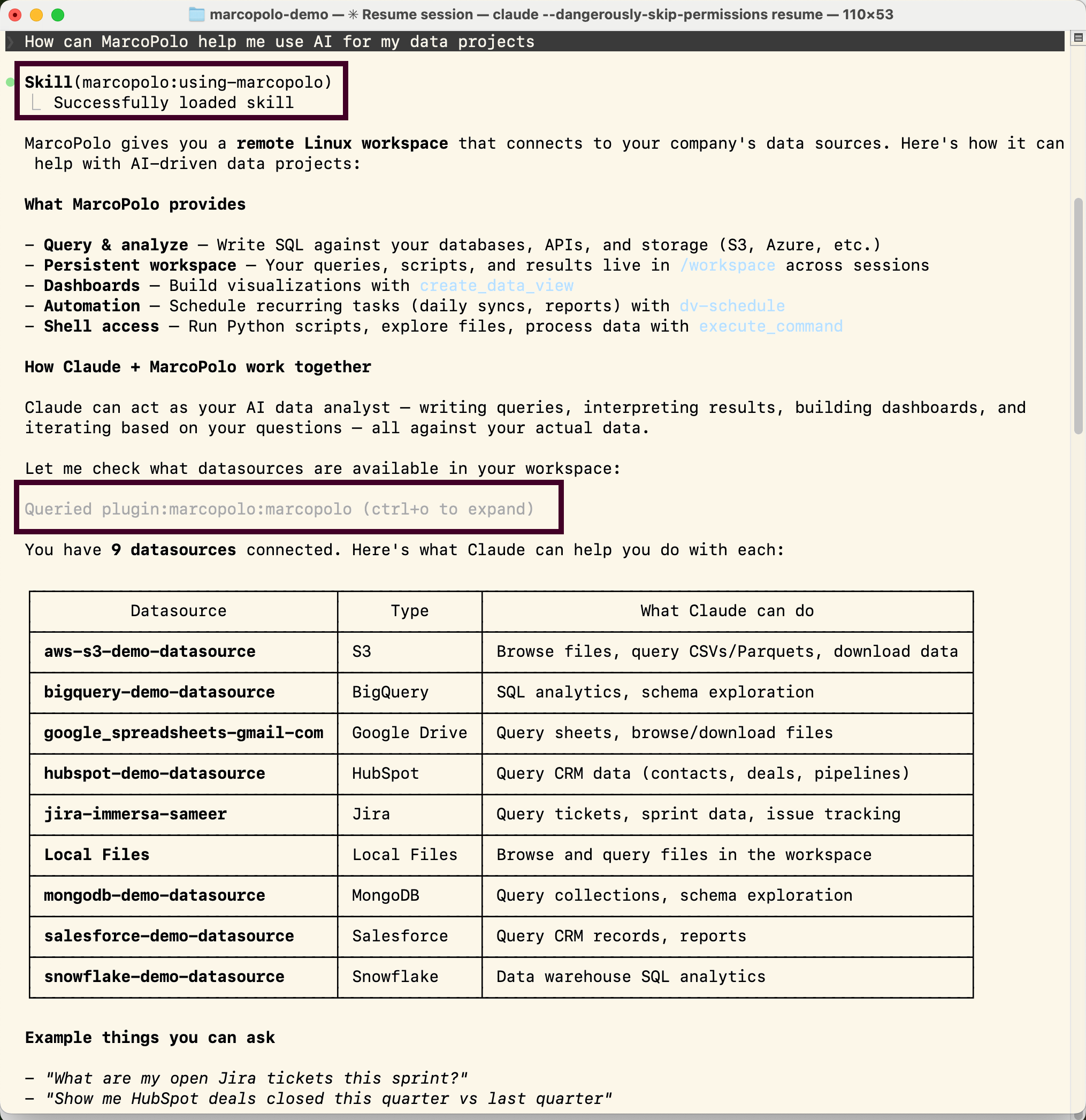
In practice, Claude surfaces this directly in the session. You can see when a skill loads, which MarcoPolo tools it chose, and whether it followed the workflow instead of jumping straight to ad hoc SQL.
Extending the plugin
The plugin is open source: github.com/immersa-co/marcopolo-plugin. Add your own skills, modify existing ones, or add slash commands for workflows specific to your team. Skills are markdown files - no code required.