Claude Extension
Connect MarcoPolo to the free version of Claude Desktop via the Desktop Extension.
The free version of Claude Desktop doesn't support remote MCP connectors directly. MarcoPolo provides a Desktop Extension that bridges the gap: a lightweight local proxy that routes requests to https://mcp.marcopolo.dev.
If you have a Claude Pro, Team, or Enterprise plan, you can use the simpler Custom Connector setup instead.
Requirements
- Node.js 18+ installed on your machine
Setup
- Download the extension: marcopolo.mcpb
- Double-click the downloaded file. Claude Desktop will prompt you to install it.
About the security warning: Claude shows a standard warning that extensions "will grant access to everything on your computer." This is a blanket warning for all extensions. The MarcoPolo extension does not access anything on your machine. It only connects to the remote MarcoPolo server.
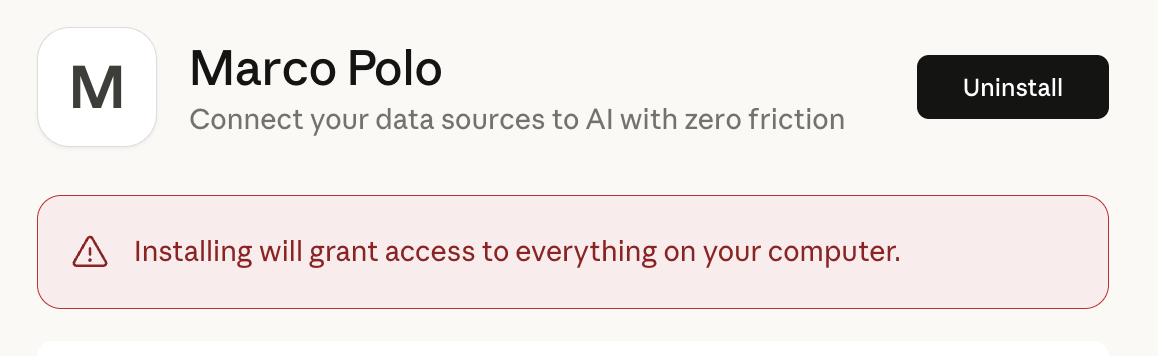
See Claude's Desktop Extensions guide for more details.
What's next
Once the extension is installed, follow the Getting Started guide to authenticate, install a demo connection, and run your first query.
For the best experience, install the MarcoPolo plugin. It teaches Claude to read your business context before querying, explore schemas before writing SQL, and cache results for fast iteration.
Tips for Claude Desktop
Go deep. Desktop conversations can get long. Start with exploration, narrow to analysis, then iterate. Claude keeps the full context.
Teach as you go. After a session where Claude discovered something about your data (a gotcha, a useful correlation, a metric definition), tell it to save that to RULES.md so it remembers next time.